
PropOps Web
Dashboard

The PropOps Dashboard provides a forensic, real-time overview of your operational health, merging job lifecycles, security snapshots, and financial tracking into a single source of truth.
Dynamic Role-Based Adaptation
The system utilises a unified dashboard architecture that intelligently reshapes itself based on Account Type and Permission levels.
Contractor View
The interface automatically filters to prioritise outstanding work and upcoming schedules, removing administrative noise.
Client
By default, clients see only their submitted instructions.
The Staff Power-User Experience
Staff members have full control over their workspace with a Modular Widget Engine. This allows individuals to customise their dashboard with specialised modules.
Branch Job Pooling
A optional feature allows agents within the same branch to opt into a shared view, enabling seamless collaboration and visibility across agents.
System Documents

The PropOps Document Engine provides a centralised framework for managing corporate legalities, branch policies, and public-facing disclosures with granular precision.
Standardised Template Architecture
Define the structure of mission-critical documents once
Per-Document Configuration: Each template is equipped with its own “Intelligence Layer,” allowing for independent settings including:
- Strategic Visibility: Toggle visibility specifically for Staff, Contractors, or Clients.
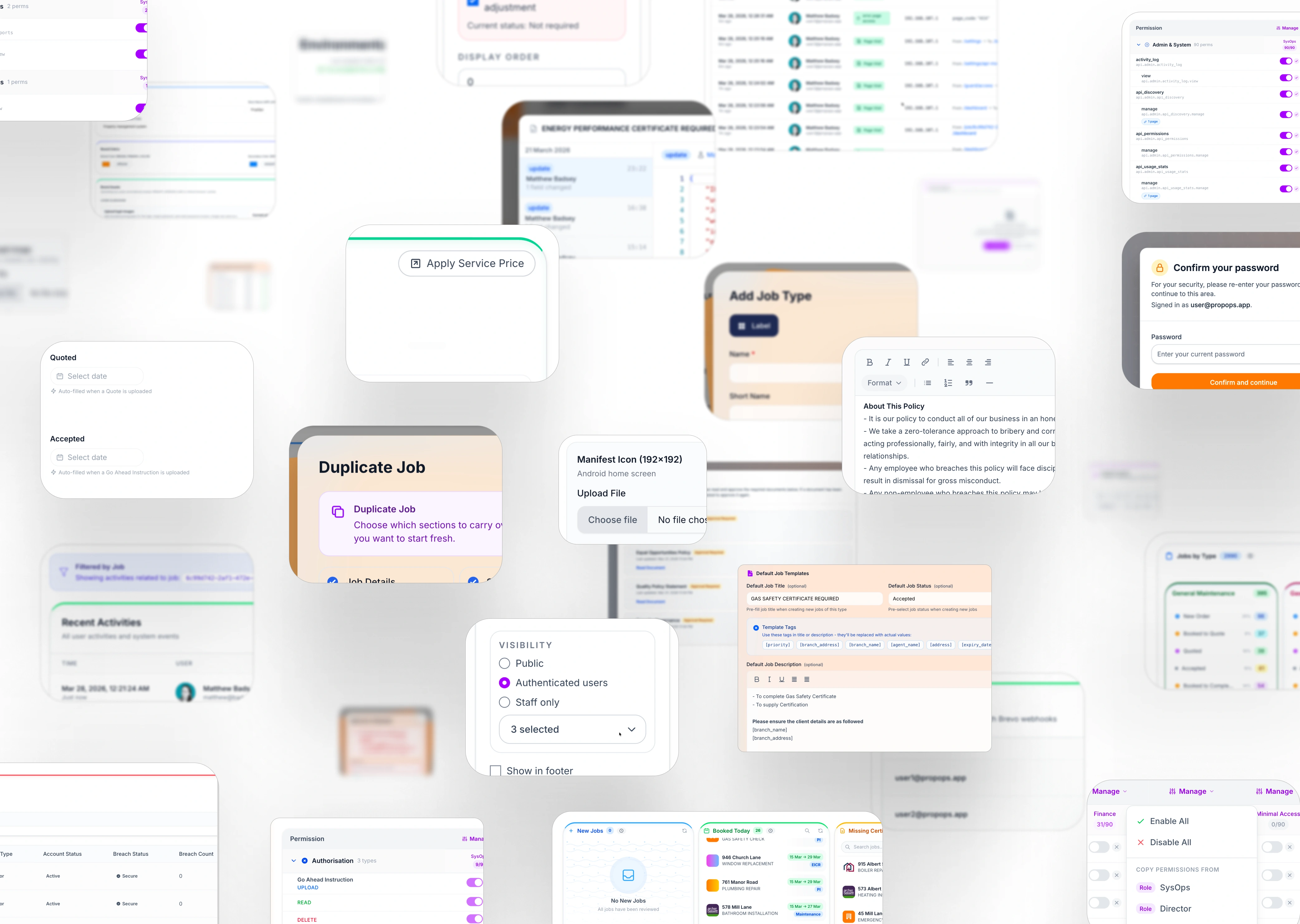
- Contextual Placement: Control exactly where the document appears—options include the Global Footer, the Login/Portal Page, or the Dashboard Sidebar.
- Approval-Status Gating: Define whether a document is “Informational” or “Approval-Mandatory” (triggering the system-wide Guard Gate).
Dynamic Distribution Logic
Manage the entire lifecycle of a document from a single interface. When a policy changes, the system handles the versioning and redistribution automatically.
Security

PropOps Web is engineered with a “Security-First” architecture, utilising the same defensive pipelines used by global technology firms to ensure your data remains sovereign and secure.
Hardened Authentication & Access
- IP Verification: The system monitors login locations; any attempt from an unrecognised IP requires multi-step verification to prevent unauthorised entry.
- Three-Strike Lockout: Automated brute-force protection triggers a persistent account lockout after three failed login attempts.
- Session Blacklisting: Administrators have the power to instantly terminate and blacklist specific user sessions or entire accounts across the ecosystem.
Continuous Vulnerability Intelligence
- Snyk AI Scanning: Our source code is continuously audited by Snyk’s Artificial Intelligence to detect and remediate complex security vulnerabilities before they reach production.
GitHub Dependency Monitoring
- Automated 24/7 scanning of all software libraries to ensure no “supply chain” vulnerabilities (like outdated or malicious packages) exist within your instance.
Code Quality & Logic Audits
- Static analysis tools monitor code quality to prevent “logic flaws” that could be exploited.
CSRF & XSS Protection
- Industry-standard guards against Cross-Site Request Forgery and Cross-Site Scripting are baked into every state-changing operation.
Route-Restricted Access
- The application utilises a “Zero-Trust” model where every single URL (Route) is locked behind a granular permission check—users only see what they are explicitly authorised to see.
GitHub Artefact Attestations
- Every production build is digitally signed. This provides you with a cryptographic guarantee that the software hasn’t been tampered with since it left our secure build environment.
Approval Guard

The PropOps Web System ensures your business remains audit-ready with an automated Approval Gate. This security layer acts as a mandatory checkpoint, ensuring that every team member is aligned with your latest operational standards before they access the dashboard.
Forced Approvals & Version Control
The system maintains a rigid compliance chain through automated triggers:
-
Automatic Re-Approval: Whenever a staff member updates a core document, the system identifies the version change and automatically resets the approval status for all relevant users.
-
The “Guard” Interface: Users are presented with a clean, non-bypassable list of pending documents—such as Anti-Bribery, Quality Policy, or Security Governance—that must be reviewed and accepted to proceed.
Granular Compliance Tracking
-
Per-User Consent Logging: Every interaction is forensically tracked, providing a time-stamped record of exactly when a user “Accepted” a specific version of a document.
-
Enforce Compliance: Management can monitor real-time completion rates through the “Track Approvals” engine, ensuring 100% policy adoption across the workforce.
-
Seamless Integration: By merging document review directly into the login flow, PropOps eliminates the “paper trail” headache and centralises your regulatory obligations.
Auditing

PropOps Web operates as a “Truth Machine” maintaining a complete, immutable history of every interaction within the system. From high-level API calls to individual keystrokes on a job, nothing is erased.
Job Commits (Version Control)
Inspired by GitHub’s architecture, every modification to a job is recorded as a “Commit“.
- View exactly what changed, who changed it, and when.
- Compare versions to see previous states of instructions, dates, or assigned parties.
Full Navigation Tracking
- The system monitors and logs navigation paths. This allows administrators to verify exactly which pages a user visited, providing essential context during internal investigations.
Document Integrity & Deletion Logs
Files are never truly “lost.” If a document is deleted, the system records the timestamp and the identity of the user responsible, maintaining the chain of custody for legal evidence.
Communications Audit
Every email sent through the system is tracked with a full delivery report, including timestamps for when it was delivered, opened, and clicked.
API Usage & Security Monitoring
For technical oversight, the system maintains comprehensive logs of all API activity, ensuring that third-party integrations or automated tasks are performing within security parameters.
Branding

PropOps is designed to disappear into your business. Our comprehensive branding suite allows you to transform the platform into a native extension of your corporate identity, ensuring a seamless experience for staff, contractors, and clients.
Dynamic Entry Experience
The first point of contact is the most impactful. PropOps features a Login Page Wallpaper Slideshow, allowing you to upload multiple high-resolution images that rotate on the sign-in screen—perfect for showcasing your property portfolio or corporate milestones.
Digital Presence & Social Graph
Manage your Favicon for browser recognition and set a custom Open Graph (OG) Image. This ensures that any system links shared via professional networks or messaging platforms display your rich media branding and metadata correctly.
Core Identity Control
Define your Company Name and Short App Name globally. These identifiers propagate through the entire system, from automated email footers to browser tab titles, ensuring consistent brand authority.
- PWA & Mobile Presence
- PropOps is built as a Progressive Web App. You can configure your own Manifest Icon, allowing users to “Install” PropOps directly onto their mobile home screens with your unique branding, bypassing the need for third-party app stores.
- Visual Interface Customisation
- Take full control of the UI/UX atmosphere. Set your Primary and Secondary Brand Colours to align the dashboard buttons, highlights, and navigation elements with your corporate style guide.